What Kepd does
One job card, first call to paid
Kepd is the office and the ute reading the same job. Nothing is re-entered at the next step, because the next step is the same record.
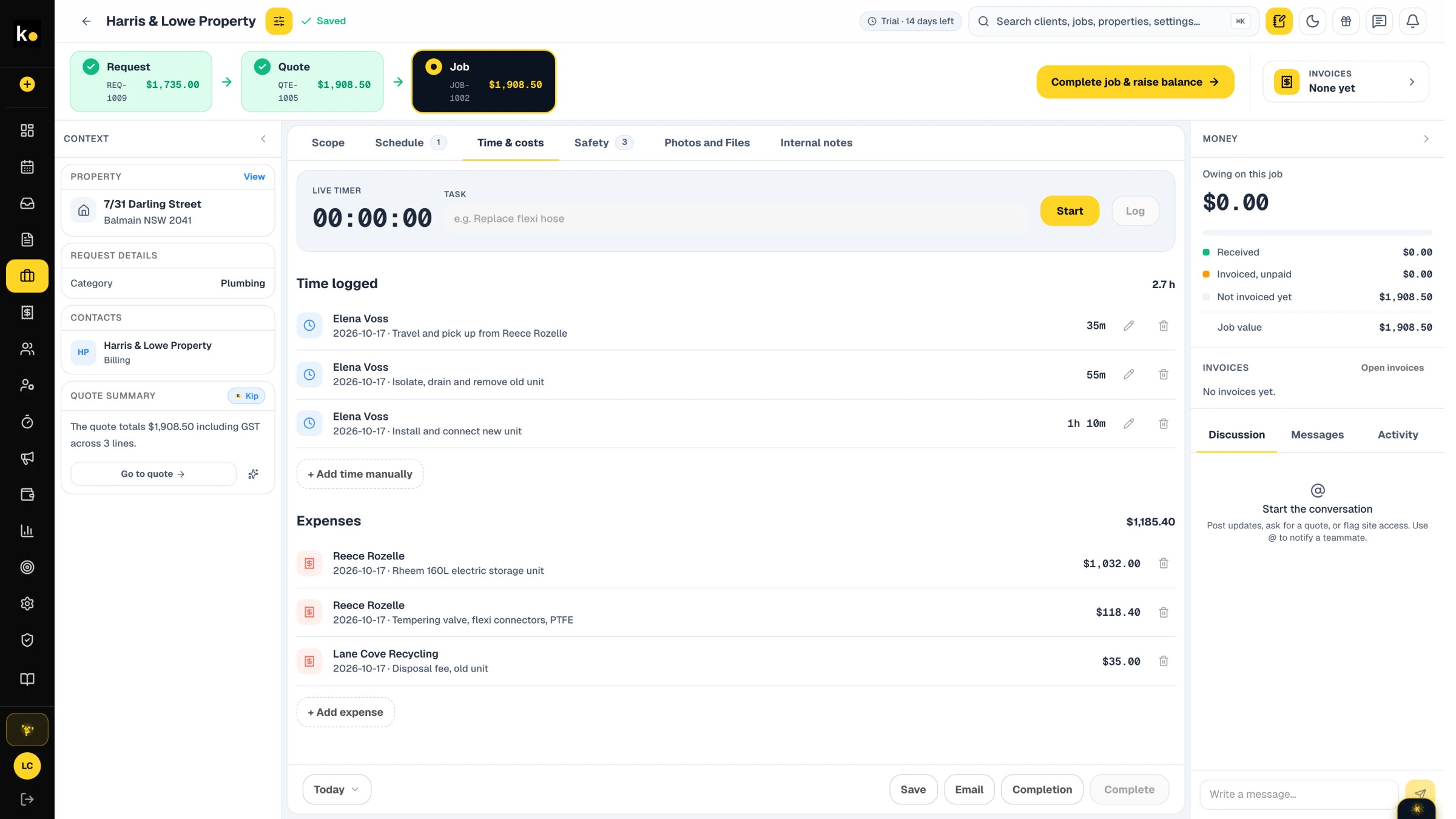
Every stage inherits what came before it.
One job card, from the first call to paid. Nothing is re-entered at the next step, because the next step is the same record.
01
Request
A call, an email or a form comes in and becomes a request with the address and the client already attached.
02
Quote
Price it from the van with your own rates and materials. The client approves it on their phone.
03
Schedule
Put the approved job on the board, assign the crew, and send it to their field app.
04
On site
Photos, notes, materials off the van and the timer all land on the job card, offline or not.
05
Invoice
Complete the job and the balance invoice is raised from the approved lines. Deposits already paid come off it. The business number saved on the account is printed on the document, and GST is added at the rate set for the business. The default is 10%.
06
Paid
Take payment at the door through Stripe or Square, and watch what is outstanding without a spreadsheet.
Requests
Requests arrive as work, not as a to-do.
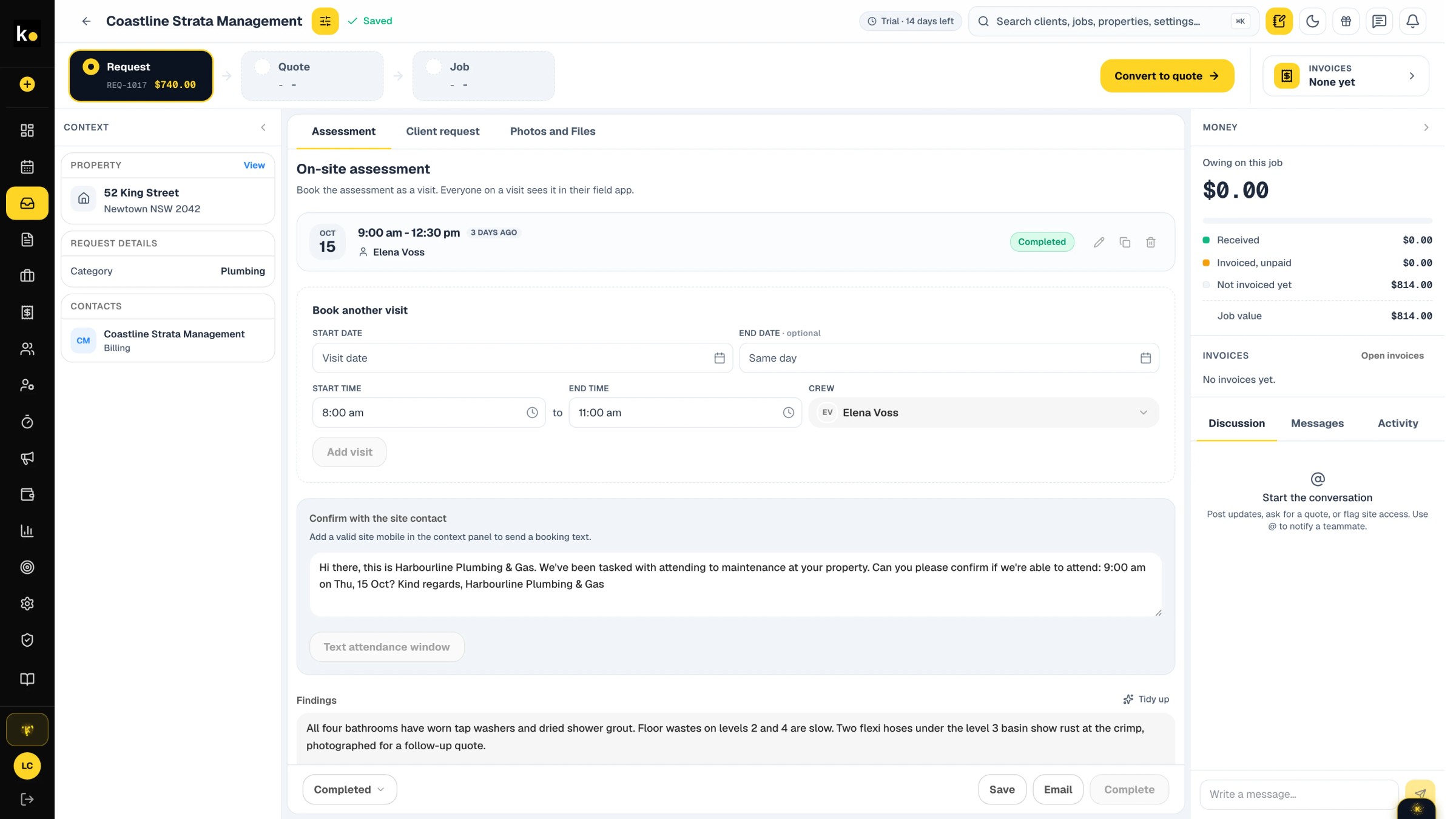
The address is already attached
A request carries the client and the property from the moment it lands, so the crew is not sent a street name in a text message.
Assess before you price
Send someone to look first. What they photograph and note on site is what the office prices from.
Nothing waits on a callback
Findings, recommended works and the attendance window all sit on the one record.
Quoting
Quote from your own rates.
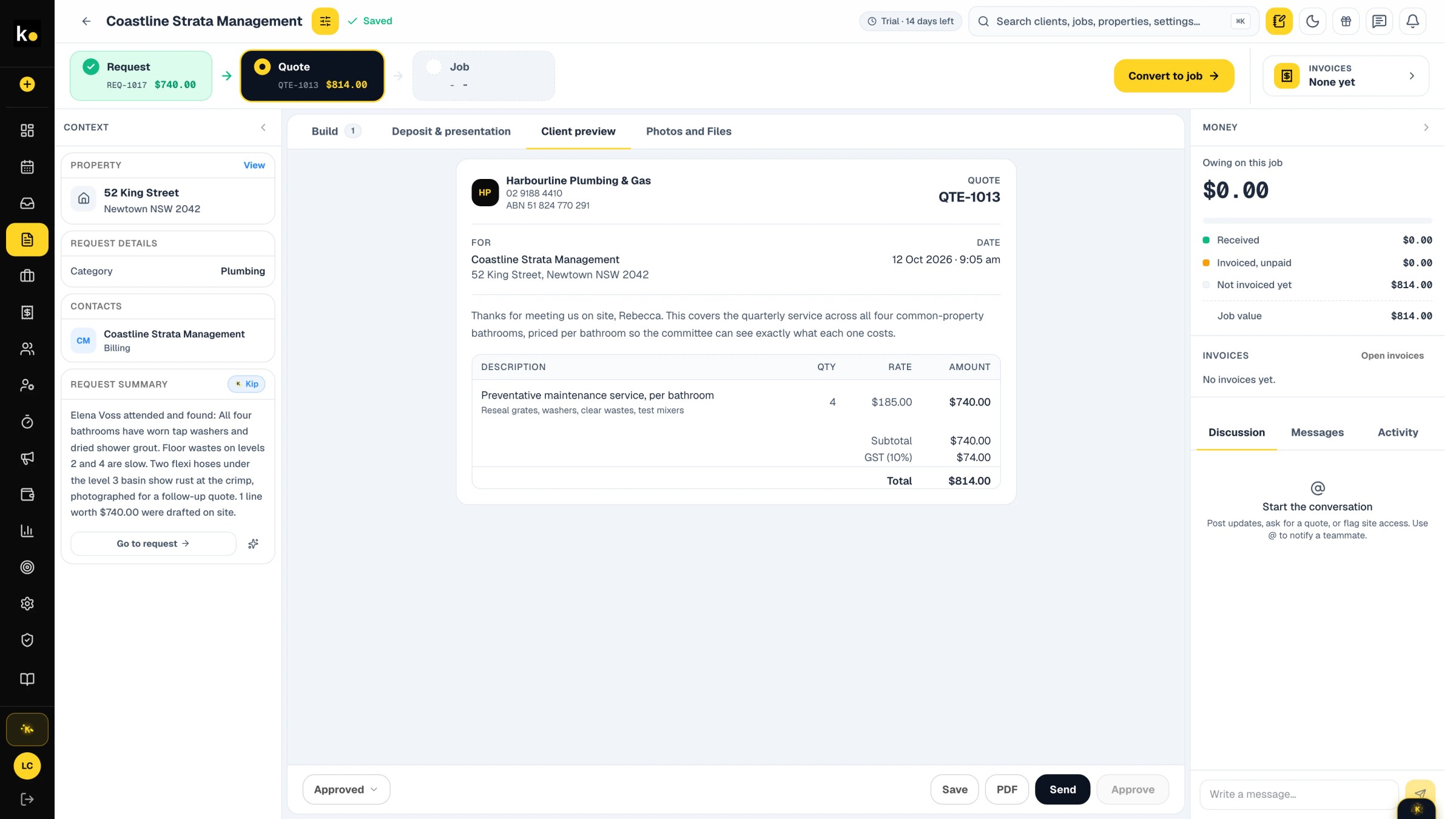
Your prices, not a generic list
Labour and materials come from the rates you set, so a quote does not have to be corrected before it goes out.
Approved on the client's phone
The client accepts it where they are. The approved lines become the job, and later the invoice.
Built from the assessment
The scope written on site becomes the line items, rather than being typed out a second time.
Scheduling
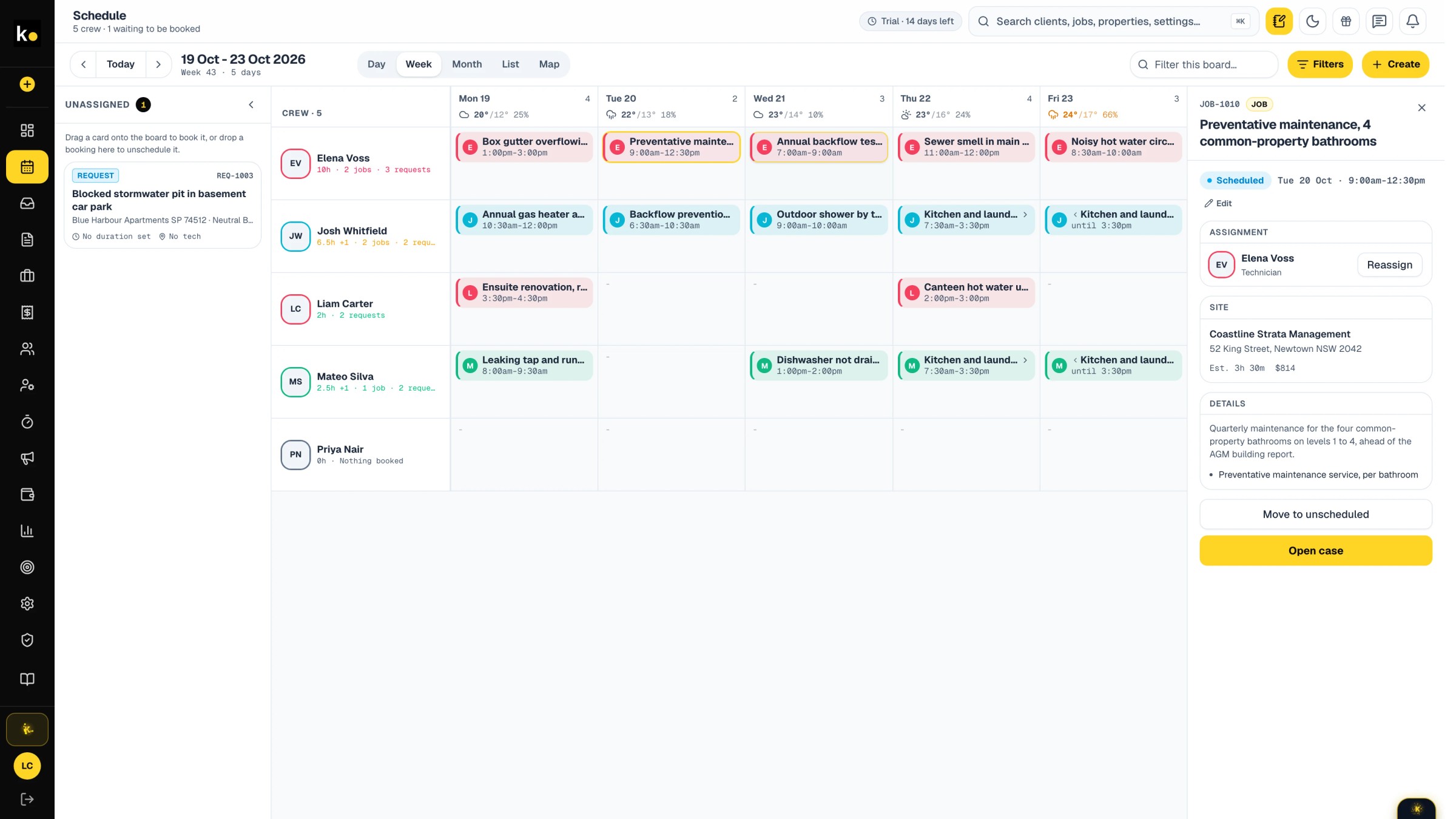
A week of work on one board.
Who is where, and when
Drag the approved job onto the board, assign the crew, and it appears in their field app.
Changes reach the ute
A moved job is moved for everyone. Nobody is driving to yesterday's plan.
Day, week and crew
The board shows who is booked where, by day, by week and by person.
The job card
The job card holds everything.
Photos, notes, materials and time captured against the job rather than scattered across a camera roll and a notebook
Ready to bill when it closes: the balance invoice comes from the job, with GST at the business rate and the saved business number on it
The history stays with the address - next time someone attends, what was done last time is already there
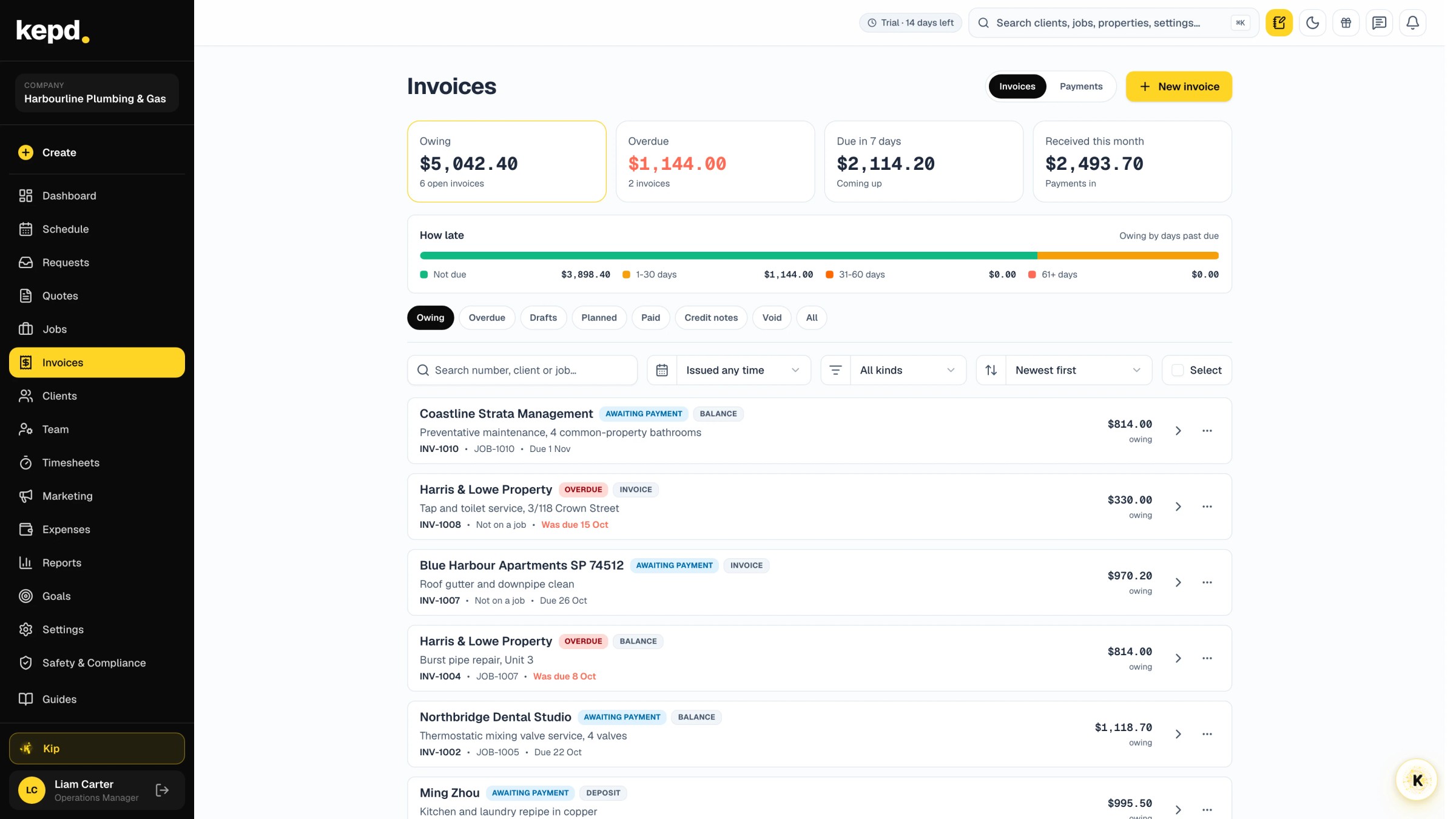
Invoices
Every invoice, and what is still owed.
Deposits, progress claims, balances and extras in one list, each with its job and whether the client has seen it
Invoices and payments sync both ways with Xero or QuickBooks Online. QuickBooks payments come back via the Sync button.
Overdue invoices rise to the top, with a reminder from the same row and the client's billing page to pay from
See what Kepd can do for your team.
Start 14-day trial14-day trial · Bring one week of real jobs · No minimum term option